
How to Enroll using UltiPro (UKG)
You can access UltiPro (UKG) by clicking the button below:
USERNAME: your work e-mail address; or as assigned
LET’S BEGIN
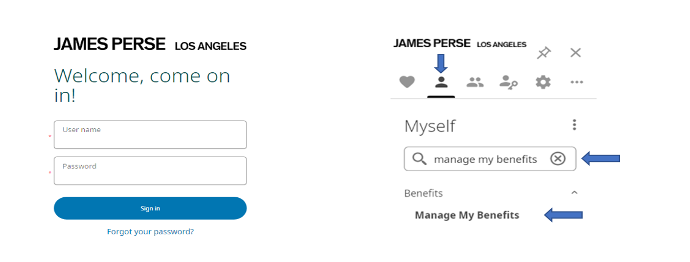
To begin your enrollment, Sign into the UKG UltiPro system
- Click on “myself” icon
- In the Search bar, search for “Manage My Benefits”
- Click on “Manage My Benefits”
STEP 1: VERIFY YOUR PROFILE
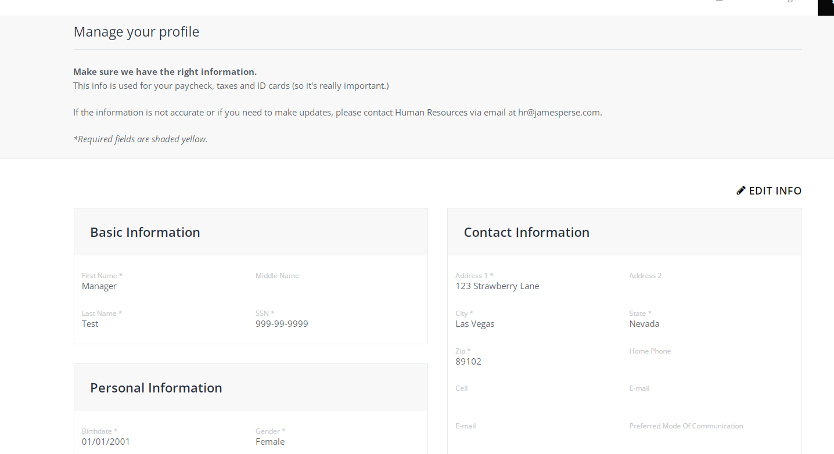
Once you have logged into the Benefits platform, please review your profile, and confirm that all information listed about yourself, and your family members is correct.
STEP 2: VERIFY YOUR FAMILY
Review the dependents that are listed to ensure their information is accurate. If you need to add a new dependent, click the Add Family Member button.
ADDING DEPENDENT INFORMATION
To add your eligible family members, follow these steps:
1. Click “Add Family Member” button to add a new dependent:
2. Fill in all required information (indicated by an asterisk).
Once all of your dependents are listed, click “Next shop for Benefits”
STEP 3: SHOP FOR BENEFITS
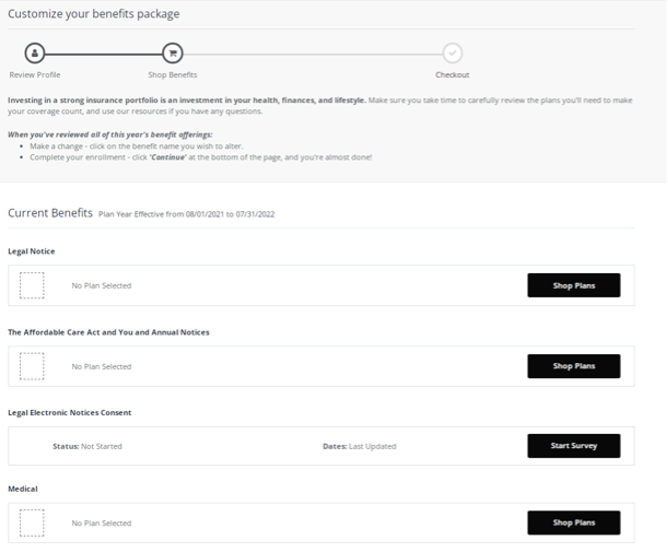
You can then begin shopping for benefits! Educational materials about the specific plan type is available at the top of the page. To select a plan, indicate which family members are covered by clicking “edit the family covered” and select the card for each family member you’d like to be on the plan. Click “Update Cart” to choose the plan.
You can always review your elections by viewing the Shopping Cart. The shopping cart displays a running total of your combined benefits costs and shows your progress. You will need to select or decline a plan in each benefit type before you can check out.
HELPFUL TIPS:
When enrolling in plans with tiers: Medical, Dental and Vision
- Review your family members listed in “Family Covered”. To remove someone from that list, uncheck the box next to their name.
- Once you are ready to choose your plan, select “View Plan” and then “Update Cart”.
- If you wish to decline coverage select the “Decline Benefits” box
When enrolling in plans with Goal Amounts: Flexible Spending Accounts (FSA)
- Certain Plans, such as Flexible Spending Accounts require you to select an annual goal. You may elect using one of these methods:
1. Enter your annual goal amount in the box provided
2. Decline coverage using “Decline” link - If you choose to enroll, the system will display both your per pay period deduction and your annual goal amount for your records.
Enrolling in plans with Benefit Amounts: Company Sponsored and Voluntary Life Insurance
- Company sponsored Basic Life Insurance only requires you to select the plan so you can assign your beneficiaries. There is no option to decline company sponsored Basic Life Insurance.
- If you would like to enroll in additional Voluntary Life Insurance, select your desired coverage from the dropdown list. If you elect a level of coverage that requires Evidence of Insurability, you will see both the amount of coverage that you are eligible for immediately and the amount of coverage you would like to have, both with their associated costs.
STEP 4: BENEFICIARY
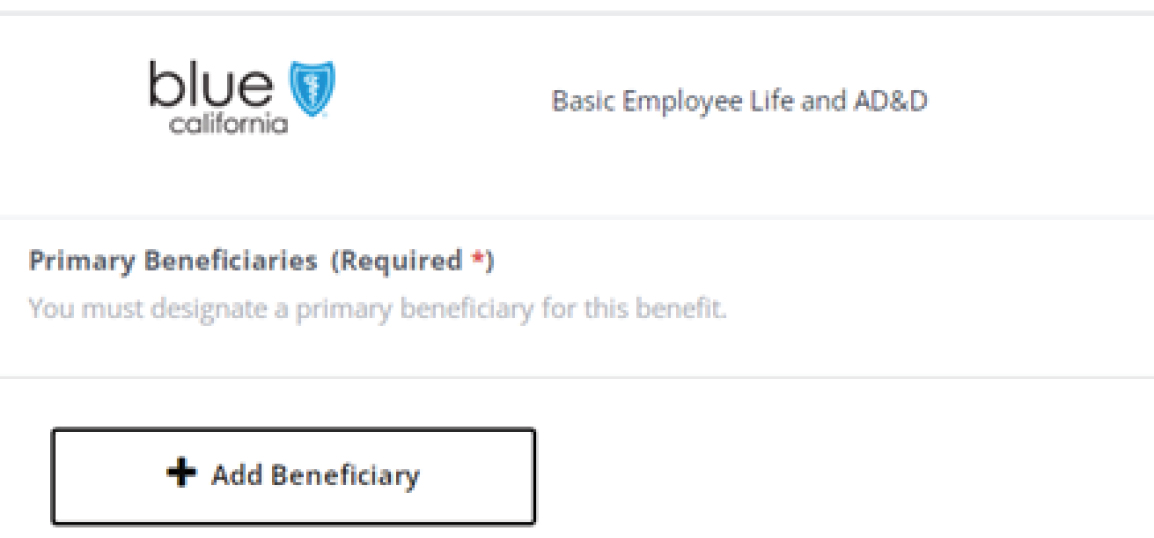
Once you have made your elections, you will be taken to the “Beneficiary” screen. For both the Company paid Basic Life and Voluntary Life insurance you will need to include your Beneficiary information.
STEP 5: REVIEW AND CHECKOUT
Once you have made your Beneficiary elections, you will be taken to the “Review and Checkout” screen. This screen will summarize everything you elected. You can view additional detail, including covered family members by clicking the grey plus button beneath the plan. You may edit coverage by either using the shopping cart up at the top of the page, or by selecting “Modify Coverage” next to the plan. Scroll to the bottom and select “Review and Checkout”. On the “Checkout” screen, you have one last chance to change your elections. You may make modifications to your coverage if needed, otherwise, simply select the green “Checkout” button at the bottom of the page.
Benefits Service Center
Questions? Need help deciding which plan is the best for you? The James Perse Benefits Service Center is glad to help answer any questions and provide guidance on the best plan offerings for you and your family! The Benefits Service Center is available from 7:30am - 5:00pm PST. Spanish speaking representatives are available.
Phone: (844) 582-5775
Email: JP-Benefits@jamesperse.com
-
Enrollment
If you've made your plan selections and are ready to enroll, click the button below for information on how to get started.
Enrollment Instructions -
Eligibility
Click the button below for more information about when you and your dependents become eligible for coverage.
Eligibility Information